Xero job management & time trackingFrom the job to Xero, without retyping.

Tracmar is job management and PSA software built around Xero from the start. Time is logged on the job, billed at the right rate and account code, and arrives in your own Xero organisation as a draft invoice — then what your clients owe comes back the other way.

Draft invoices, not surprisesPick the clients, and their finished, billable work becomes one draft invoice each in Xero. You review and approve it there, as you would any other invoice.
The right account codeEach charge rate carries its own Xero account code and billing increment, so labour posts where your accountant expects it — not to a single catch-all code.
Tax is Xero's jobLine amounts go across tax-inclusive and your Xero organisation applies its own tax settings. There is no GST rate hidden in Tracmar to disagree with Xero.

Time tracking that integrates with Xero

Every billable minute has somewhere to go.

Most lost revenue is not unpaid invoices — it is work that was finished and never invoiced at all. Xero cannot see that, because no invoice exists for it to see. Tracmar can.
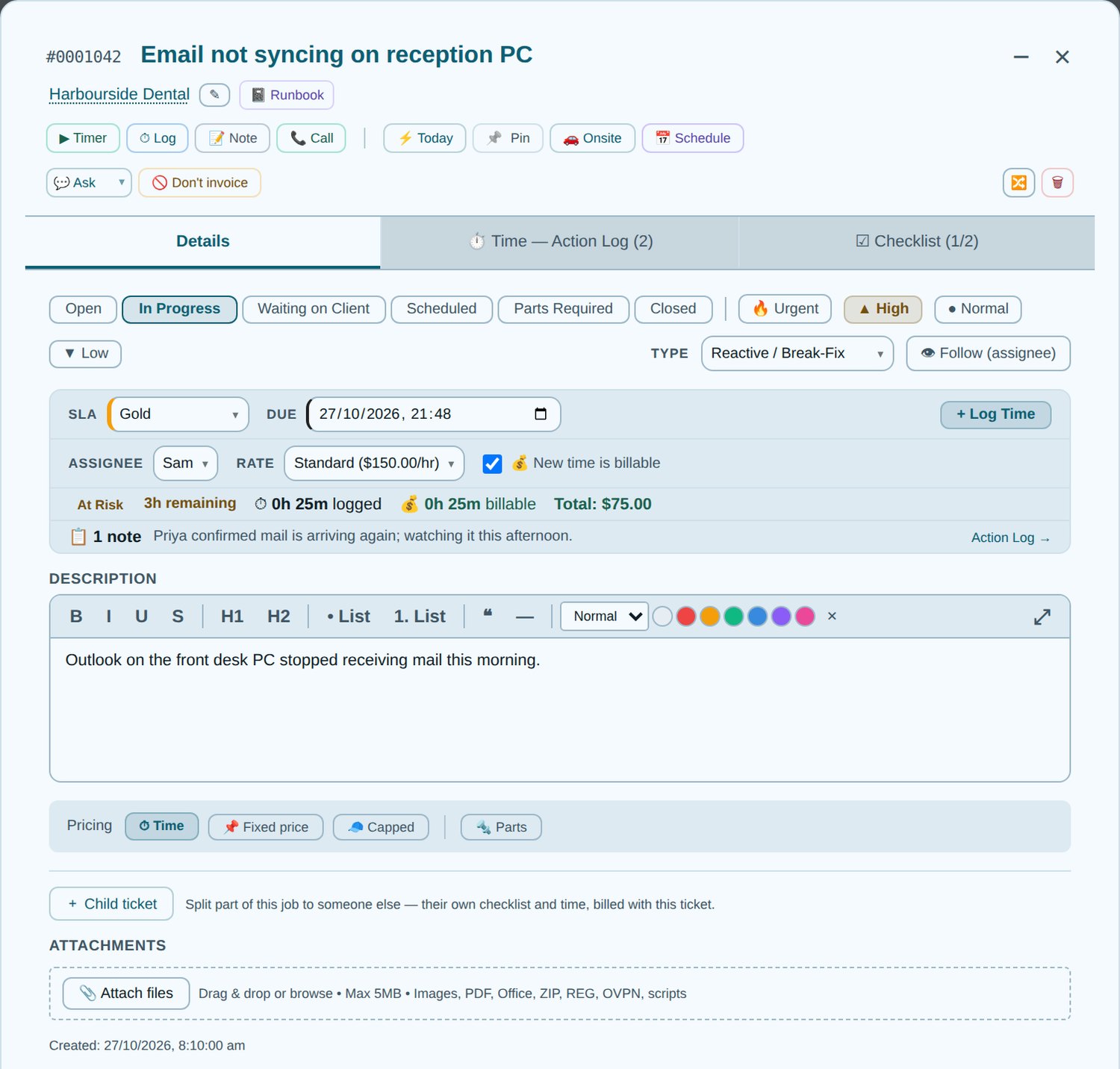
Inside a Tracmar job: time logged against a charge rate, billable minutes and the pricing mode, ready for a Xero invoice (demo data)
Inside a job. Time logged against a charge rate, and the pricing mode — by time, fixed, capped or parts — that decides what reaches the invoice.
  • Captured where the work happensOn the job, a task, a phone call or a running timer — all of it lands on the same job and the same invoice.
  • Parts with Xero item codesYour Xero items list is synced into Tracmar, so a part on a job carries its item code and its own price onto the invoice.
  • Fixed, capped and contract workQuote a job as a price, cap it, or draw it from a client's monthly agreement hours — with overage billed at its own rate.
  • Nothing bills twice, nothing bills lateInvoiced time is marked so it cannot be pushed again, write-offs leave invoicing entirely, and billable time with no job surfaces for someone to allocate.
  • Child jobs roll upWork split across a parent job and its children is billed as one job, on one invoice.
Xero debtors, back in Tracmar

Who owes you, where you already work.

Outstanding invoices are read back from Xero on a schedule and matched to your clients, so the people doing the work can see an account's position without a login to your accounting system.

Aged receivablesOverdue and total owing per client, bucketed by age, with a debtors report for administrators and the overdue amount on the client record.
Reminders that chase for youEmail reminders at 7, 14 and 30 days overdue in your wording, with a pay-now link and the invoice attached, and SMS reminders as invoices age — quiet hours, opt-outs and promise-to-pay dates respected. A Square pay link can cover a client's whole overdue amount, and the chasing stops once it is paid.
Who paid, and who pays late NewEvery payment Xero records shows as recently paid, with an optional morning email of what came in. Each client's usual pay habit, and what is likely to arrive in the next fortnight.
A warning before more work NewA red line on a new or open job when the client is well overdue — you set how late and how much. It warns; it never stops the work.
Statements and the invoices behind themStatements of account made from Xero and emailed on your schedule, with a preview run first. Click a client to see each outstanding invoice and open its PDF or the invoice in Xero.
Notes, flags and filtersDated notes and promise-to-pay dates on each debtor, a flag that keeps them at the top, and filters for who has not been chased or cannot be reached by SMS or statement.
Contacts and recurring revenueA new client is created in Xero as you create it, or linked to the contact with the same account number or name — nothing duplicated, and you are told what Xero did. Each client's record shows what they owe and how they pay. Xero repeating invoices show per client and as monthly recurring revenue on the dashboard.
Your bookkeeper, too NewA Bookkeeper preset gives an outside bookkeeper Debtors, Invoicing and Reports — and nothing else.
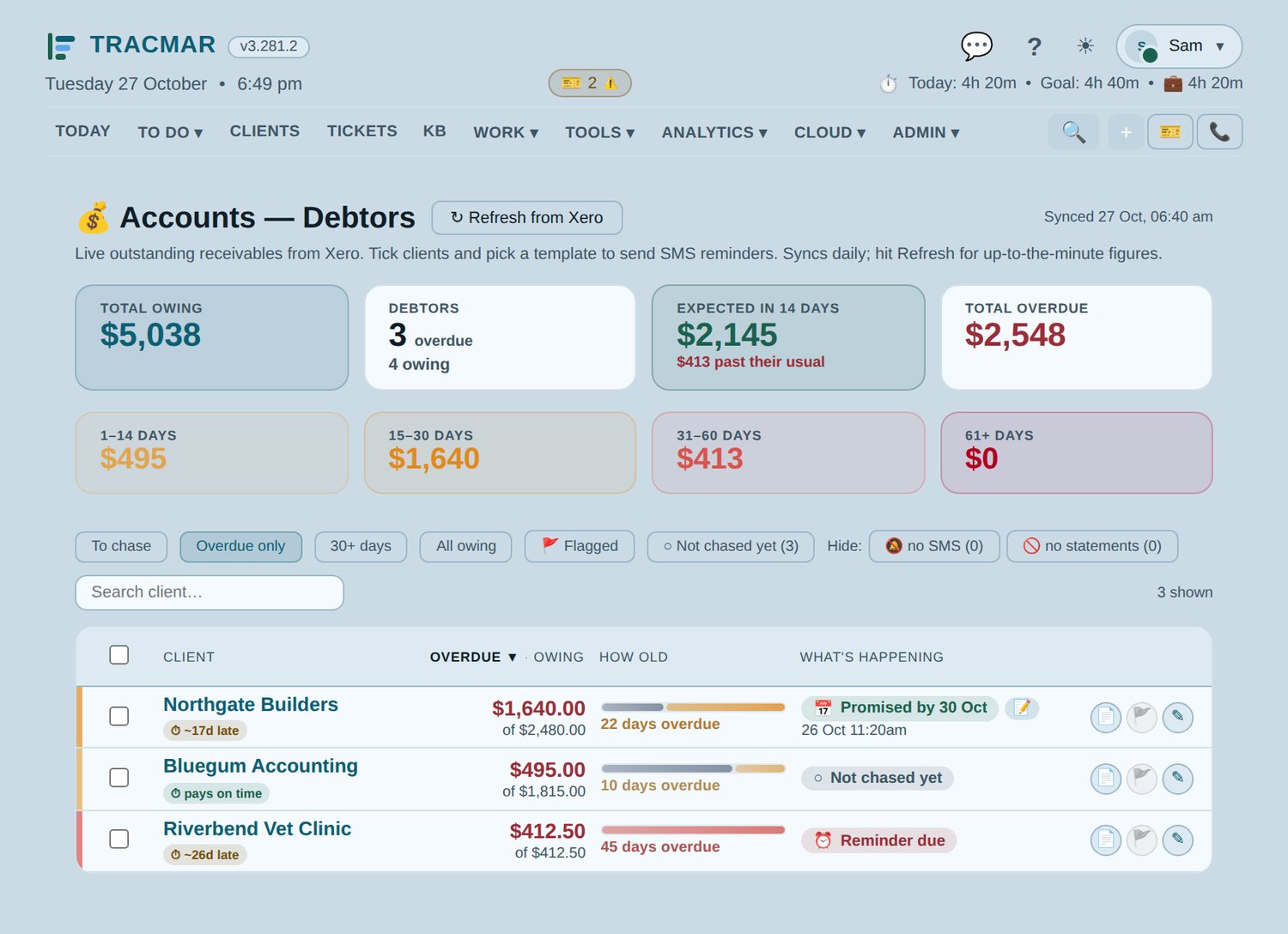
Tracmar Debtors screen: owing, overdue by age, expected in 14 days and what is happening with each client (demo data)
Debtors. Who owes what and how old it is, what is likely to come in over the next fortnight, how late each client usually pays, and what is happening with each one.

Xero drafts, finished in Tracmar

Check the invoices before they go.

Every draft in your Xero organisation, listed in Tracmar with its total, age and who Xero will email — so the last look happens where the work was logged.

Change a draftDates, reference, template, and every line — item search, quantity, price and discount, lines moved or joined. Saved straight back to Xero.
Merge drafts for one clientSeveral drafts for the same client sit together; one click joins them into one invoice and deletes the rest in Xero, with a record of what went where.
Approve, or approve and emailOne at a time or many at once, with a check of who each goes to first. An optional AI tidy fixes the wording of a line.
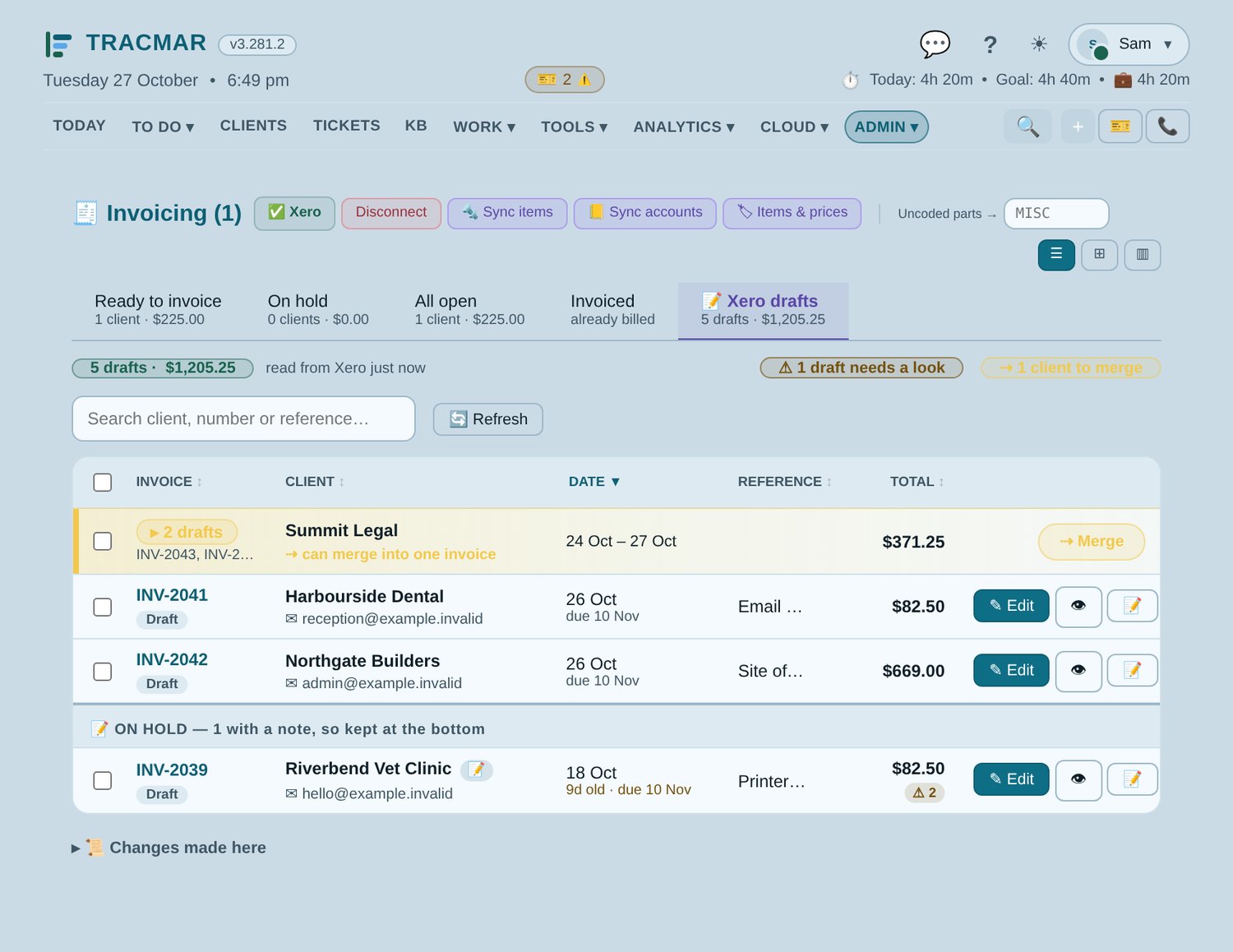
Tracmar's Xero drafts list: drafts grouped by client, checks and an on-hold note (demo data)
Xero drafts. Grouped by client so two can become one invoice, a warning on anything worth a second look, and drafts with a note — usually waiting on something — kept at the bottom.

Questions

Tracmar and Xero.

Xero is a trademark of Xero Limited. Tracmar is an independent product and is not affiliated with or endorsed by Xero.

Next step

Ready to replace your PSA?

Every deployment starts with a conversation, not a signup form. We will look at how you work now, plan the migration from Halo or CSV, configure your instance, and agree a go-live date with you once we have seen your setup.

08 8358 0944

Adelaide, South Australia  ·  hello@tracmar.au

Download the overview (PDF)

No details needed for the download. Prefer a walkthrough? Leave your name and company in the form and we will ring you.

🔒 Spam check

What happens to what you send: privacy.

No newsletter, no drip sequence. A person reads it and replies.